ox_inventory Guide: Install It and Add Custom Items
How to install ox_inventory and add custom items: items.lua fields, item images, usable items with exports, AddItem, metadata, shops, stashes and common fixes.
· 11 min read
ox_inventory is the slot-based inventory from Overextended, the team behind ox_lib and ox_target. It replaces a framework's built-in item, inventory and weapon systems with one resource that handles player inventories, stashes, shops, trunks, gloveboxes and drops, with every item move validated on the server. It is the default inventory on Qbox and a popular upgrade on ESX.
This guide covers what ox_inventory supports, how to install it, and mostly how to add your own items: the data/items.lua fields, item images, making an item usable, giving items from code, metadata, and the errors you are most likely to hit.
Short version: install oxmysql and ox_lib, download the
ox_inventory.ziprelease, setinventory:frameworkinserver.cfg, and start it right after your framework. To add an item, define it indata/items.lua, drop a<item_name>.pngintoweb/images/, restart, and give it withexports.ox_inventory:AddItem(source, 'item_name', 1).
What ox_inventory supports
ox_inventory talks to your framework through a bridge, selected with the inventory:framework convar. The officially supported frameworks are:
| Framework | Convar value | Notes |
|---|---|---|
| ox_core | ox | Overextended's own framework |
| ESX Legacy | esx | Requires ESX Legacy 1.6.0 or newer. This is also the default if the convar is not set |
| Qbox | qbx | Qbox is built around ox_inventory |
| ND Core | nd |
QBCore is not on the list. The current release ships bridges for ox, ESX, Qbox and ND only. If you are on QBCore and want ox_inventory, Qbox is the practical route, since it runs most QBCore scripts through its own bridge. See Qbox vs QBCore vs ESX for the trade-offs.
There is no standalone mode either. Without a supported framework, you write your own bridge module, which the docs describe as possible but unsupported.
Also keep in mind that ox_inventory treats weapons as items and has no loadouts. Scripts that rely on a framework's default inventory behavior, such as esx_shops or esx_trunkinventory, will conflict with it.
Installing ox_inventory
You need a server with OneSync enabled, plus two dependencies:
- oxmysql for the database
- ox_lib for UI, callbacks and utilities
ox_target is optional but recommended for shops and stashes with interaction zones.
- Download
ox_inventory.zipfrom the latest GitHub release. Do not use the "Source code" download; it does not include the built UI. - Extract it into your
resourcesfolder so the folder is namedox_inventory. - Set the framework convar and start order in
server.cfg:
setr inventory:framework "qbx"   # or "esx", "ox", "nd"

start oxmysql
start ox_lib
start qbx_core      # your framework
start ox_target
start ox_inventory
Configuration lives in convars, not a config file. The ones you will touch first:
setr inventory:slots 50          # player inventory slots
setr inventory:weight 30000      # max carry weight, in grams
setr inventory:target true       # use ox_target for shops and stashes
setr inventory:keys ["F2", "K", "TAB"]
Migrating from ESX? Start the server once and run convertinventory esx in the server console to convert player inventories, then restart. If your ESX database has an items table, ox_inventory copies any items it does not already know into data/items.lua and asks you to restart.
If you are setting up a server from scratch, How to Make a FiveM Server walks through txAdmin and framework recipes first.
Adding a custom item
Every item must be defined in ox_inventory/data/items.lua before it can exist in any inventory. The file returns one table: the key is the item's spawn name (lowercase, no spaces is the convention) and the value is the item's options.
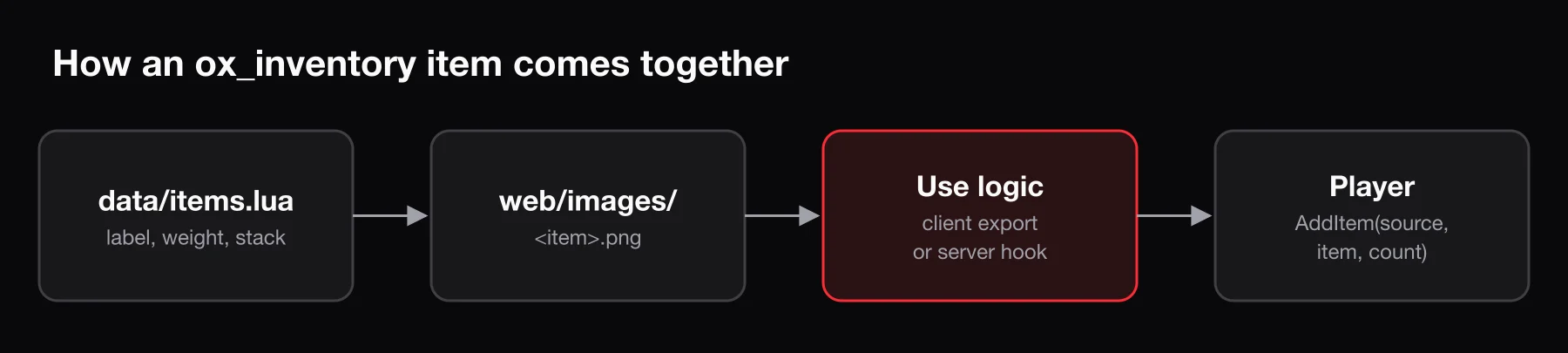
The simplest valid item:
['gold_ring'] = {
    label = 'Gold Ring',
    weight = 20,
},
Item fields
These are the fields documented for data/items.lua. Weight is in grams.
| Field | Type | What it does |
|---|---|---|
label | string | Display name. Required |
weight | number | Weight of one item, in grams |
stack | boolean | Set false to stop the item stacking in one slot |
close | boolean | Set false to keep the inventory open after use |
description | string | Text shown in the item tooltip |
consume | number | How many are removed on use. Defaults to 1. A decimal like 0.2 removes 20% durability instead. 0 removes nothing |
degrade | number | Minutes until the item fully degrades |
decay | boolean | Delete the item when durability hits 0 |
allowArmed | boolean | Allow use while holding a weapon |
client | table | Client-side use options (below) |
server | table | Server-side options, mainly export |
buttons | table | Extra right-click context menu actions, each with label and action(slot) |
The client table controls what happens on the player's side when the item is used:
| Field | What it does |
|---|---|
usetime | Progress bar duration in milliseconds |
anim | { dict = '...', clip = '...' } played during the progress bar |
prop | Attached prop: model, pos, rot, and optional bone and rotOrder |
disable | Controls disabled during use: move, car, combat, mouse, sprint |
cancel | Let the player cancel the progress bar |
export | Client export called on use, formatted 'resourceName.exportName' |
event | Client event triggered after use |
status | Status changes after use (hunger, thirst and similar) |
add / remove | Functions called when the player gains or loses the item, receiving the new total |
A complete example
Here is an energy drink that plays a drinking animation with a can in hand, then gives a short sprint boost. It is based on the sprunk item that ships with ox_inventory.
['energy_drink'] = {
    label = 'Energy Drink',
    weight = 350,
    stack = true,
    close = true,
    description = 'Run a little faster for a little while.',
    client = {
        anim = { dict = 'mp_player_intdrink', clip = 'loop_bottle' },
        prop = {
            model = `prop_ld_can_01`,
            pos = vec3(0.01, 0.01, 0.06),
            rot = vec3(5.0, 5.0, -180.5)
        },
        usetime = 2500,
        export = 'my_items.energy_drink',
    },
},
The prop must be a model the game can load. If you want a custom can or tool in the player's hand, you need to stream it first; Custom FiveM Props covers that.
Item images
Item images live in ox_inventory/web/images/, named exactly after the item key:
ox_inventory/web/images/energy_drink.png
Things to know:
- Use PNG. The UI builds the path as
<name>.png, and the resource'sfxmanifest.luaonly includesweb/images/*.png. A.webpor.jpgwill not load. - Size: the images that ship with ox_inventory are 100 x 100 pixels with transparent backgrounds. Match that for a consistent look.
- Names are case-sensitive on Linux hosts.
Energy_Drink.pngis notenergy_drink.png. - The base path can be changed with the
inventory:imagepathconvar if you host images elsewhere.
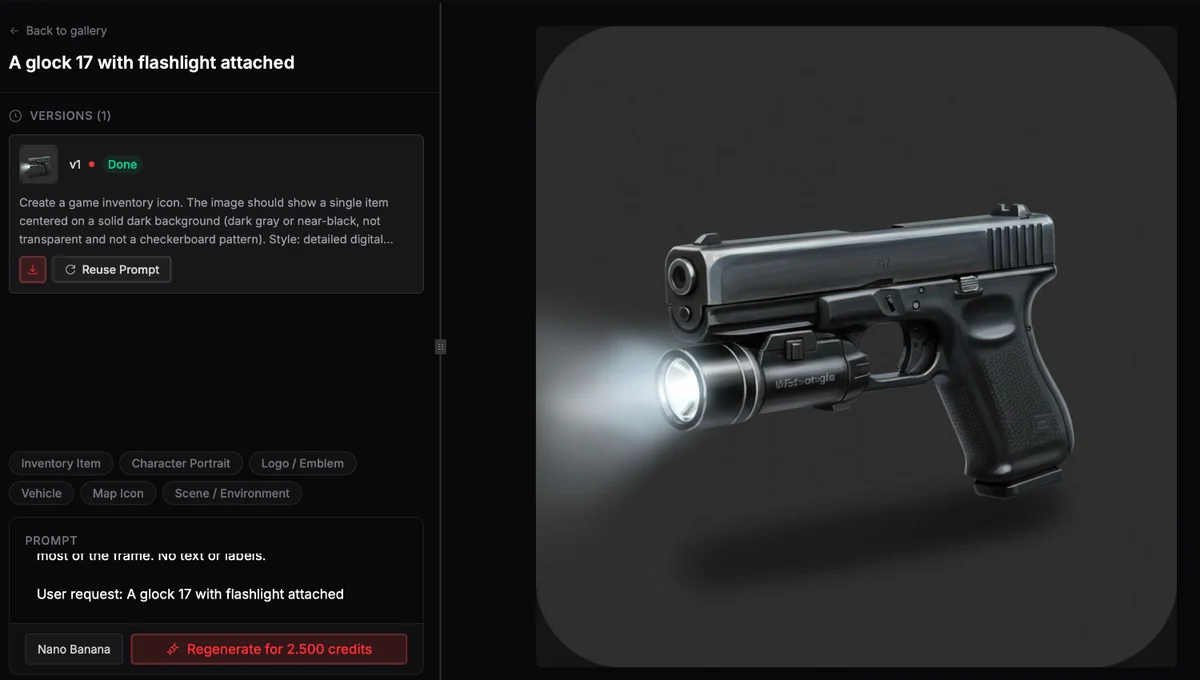
If you do not have an icon, BLDR's image generator can create one from a text prompt; ask for a single object on a transparent background, then resize it to 100 x 100.
Making an item usable
ox_inventory gives you three ways to run code when an item is used. Pick one per item.
1. Client export (recommended by the docs)
Set client.export in the item, then define that export in your own resource. Your function receives the item data and slot, decides whether the item can be used, and hands control back to ox_inventory with useItem. That call runs the server checks, plays the progress bar, animation and prop, and removes the item.
-- my_items/client.lua
exports('energy_drink', function(data, slot)
    if IsPedInAnyVehicle(cache.ped, false) then
        return lib.notify({ type = 'error', description = 'Not while driving' })
    end

    exports.ox_inventory:useItem(data, function(data)
        if not data then return end

        SetRunSprintMultiplierForPlayer(cache.playerId, 1.2)
        lib.notify({ description = 'You feel wired' })

        SetTimeout(30000, function()
            SetRunSprintMultiplierForPlayer(cache.playerId, 1.0)
        end)
    end)
end)
The cache table comes from ox_lib, so add shared_script '@ox_lib/init.lua' to your resource's fxmanifest.lua. If useItem returns nil data, the server refused the use, and the item is not consumed.
2. Server export
Set server.export = 'my_items.energy_drink' instead, and the export is called on the server with an event name. Return false during usingItem to block the use.
-- my_items/server.lua
exports('energy_drink', function(event, item, inventory, slot, data)
    if event == 'usingItem' then
        -- checks before use; return false to cancel
    end

    if event == 'usedItem' then
        -- the item was used and consumed
    end
end)
3. Framework usable items
If an item has no client use options, no server.export and no consume value, ox_inventory passes the use to your framework. Existing code keeps working:
- ESX:
ESX.RegisterUsableItem('energy_drink', function(source) ... end) - Qbox:
exports.qbx_core:CreateUseableItem('energy_drink', function(source, item) ... end)
The docs note that the built-in system is more secure and gives you the progress bar, animations and props for free, so prefer options 1 or 2 for new items.
Giving and removing items
All item changes happen on the server. Check capacity first, then add:
local ox_inventory = exports.ox_inventory

local function giveEnergyDrink(source, count)
    if not ox_inventory:CanCarryItem(source, 'energy_drink', count) then
        return false
    end

    local success, response = ox_inventory:AddItem(source, 'energy_drink', count)
    if not success then
        print(('AddItem failed: %s'):format(response))
    end

    return success
end
AddItem returns false plus a reason such as invalid_item (the item is not in items.lua), invalid_count or invalid_inventory.
Other server exports you will use constantly:
| Export | Purpose |
|---|---|
RemoveItem(inv, item, count, metadata, slot) | Remove items |
GetItemCount(inv, itemName, metadata) | Count how many a player has |
Search(inv, 'count', items) | Count several items in one call |
CanCarryItem(inv, item, count, metadata) | Check weight and free slots |
The inv argument accepts a player's server id, a stash id, or a table with id and owner.
Metadata
Metadata lets one item definition behave like many items. It is a table attached to each slot, passed as the fourth argument to AddItem:
exports.ox_inventory:AddItem(source, 'gold_ring', 1, {
    label = 'Engraved Gold Ring',
    description = 'To M, forever.',
    engraving = 'M + J',
})
A few keys are special: label, weight, description, image (a file name in the image folder, without .png) and imageurl override what the player sees, and type shows in the tooltip's corner. Any other key is stored and readable by your scripts. To show custom keys in the tooltip, call the client export exports.ox_inventory:displayMetadata({ engraving = 'Engraving' }).
Items with degrade set get a durability value in metadata automatically.
Shops and stashes, briefly
Shops are defined in data/shops.lua with a name, an inventory list of { name = 'item', price = 10 } entries, and locations or targets. You can also register them at runtime from the server with exports.ox_inventory:RegisterShop(name, data), though runtime shops do not get blips or target zones.
Stashes are registered on the server and opened on the client:
-- server
exports.ox_inventory:RegisterStash('mechanic_parts', 'Mechanic Parts', 50, 100000, false, { mechanic = 0 })

-- client
exports.ox_inventory:openInventory('stash', 'mechanic_parts')
The arguments are id, label, slots, max weight, owner and groups. An owner of true gives each player their own copy; false makes one shared stash.
Common errors and fixes
| Symptom | Likely cause |
|---|---|
UI has not been built | You downloaded the source code. Use the ox_inventory.zip release asset |
No such export ... in resource ox_inventory | ox_inventory failed to start (check the console above it), or your script starts before it |
| Item shows no image | File is not .png, the name does not match the item key, or the case differs |
AddItem returns invalid_item | Typo in the item name, or you edited items.lua without restarting |
| Item does nothing when used | No client.export, server.export or framework usable-item handler is registered, or the export name does not match 'resource.export' |
| Stash or trunk contents lost after restart | The server was killed rather than restarted through txAdmin. Inventories save every 5 minutes, on txAdmin restarts and with the saveinv console command |
| ESX inventory empty after switching | convertinventory esx was not run, or the server was not restarted afterward |
Also confirm inventory:framework matches your framework. It defaults to esx, so a Qbox server without the convar will fail in confusing ways.
Writing item scripts faster
Most custom items follow the same pattern: an items.lua entry, an image, and a client or server export with the effect. BLDR's script generator is aware of Qbox, QBCore, ESX, ox_lib, ox_target and ox_inventory, so you can describe an item and its effect and get Lua that uses useItem and the right framework calls from the start.
Frequently asked questions
Does ox_inventory work with QBCore?
Not officially. The current release supports ox_core, ESX, Qbox and ND Core. QBCore servers that want ox_inventory usually move to Qbox, which keeps most QBCore scripts working through its compatibility bridge.
Do I need to restart the server after adding an item?
Yes. data/items.lua is read when ox_inventory starts, so new or changed items appear only after a restart.
Where do I put items on Qbox?
In ox_inventory/data/items.lua, the same as any other framework. Qbox uses ox_inventory as its item system, so there is no separate shared items file to edit.
Can I make an item that opens its own storage, like a backpack?
Yes. ox_inventory calls these containers. Define the item with stack = false, then set its slots and max weight in modules/items/containers.lua or with the setContainerProperties server export.