FiveM Clothing Packs: Addon Clothing, EUP and How Packs Work
How FiveM clothing packs work: addon vs replace, EUP, .ydd/.ytd/.ymt files, stream naming, drawable limits, texture sizing and fixes for invisible clothes.
· 10 min read
A FiveM clothing pack is a resource that streams new outfits, uniforms and accessories to every player on your server. Players do not install anything; they join, download the pack and see the clothes in your clothing menu. Done well, it is one of the cheapest ways to make a server feel unique. Done badly, it is the reason your server takes five minutes to load and half your players spawn without pants.
This guide covers how clothing packs actually work: addon vs replace, what EUP is, which files matter, how a pack is structured, the limits you will hit and how to fix the problems everyone runs into.
Short version: use addon clothing, not replacements. A pack is a resource with a
stream/folder of.yddmodels and.ytdtextures, a.ymtper gender, and a shop meta file registered withdata_file 'SHOP_PED_APPAREL_META_FILE'. Build it with a cloth tool instead of renaming files by hand, keep texture sizes sane, and merge many small packs into one per gender.
Addon vs replace clothing
There are two ways to get new clothes into the game.
| Addon clothing | Replace clothing | |
|---|---|---|
| How it works | Adds new drawables after the vanilla ones | Overwrites an existing vanilla item |
| Vanilla items | Untouched | That item is gone for everyone |
Needs a .ymt and shop meta | Yes | No |
| Typical use | Real clothing packs, EUP-style uniforms | Quick swaps, one-off tests |
| Risk | Hitting per-slot and per-gender limits | Breaking outfits that reference the replaced item |
Replace clothing is just a file that uses the exact name of an existing game drawable, prefixed with the DLC it comes from and a ^. Drop it in a stream/ folder and the vanilla item is swapped. It is fast, but every outfit, job uniform and saved character using that item changes too.
Addon clothing registers a new "DLC" for a freemode ped. The game appends your items after the vanilla ones, so nothing existing breaks. This is what almost every serious server uses.
What EUP is
EUP (Emergency Uniforms Pack) is a large collection of police, fire, EMS and other emergency-service uniforms built for the freemode multiplayer characters. It started in the single-player modding scene and became the default way roleplay servers dress their departments.
The long-running FiveM release lives on the Cfx.re forum and is installed as three resources:
ensure NativeUI
ensure eup-stream
ensure eup-uieup-streamholds the models and textures.eup-uiadds an/eupmenu for picking uniforms.NativeUIis the menu libraryeup-uidepends on, so it must start first.
The server-side EUP release has been tied to a paid Cfx.re subscription (Element Club, formerly Patreon). Check the current requirements in that forum thread before you plan around it.
"EUP" is also used loosely for any emergency uniform pack in the same style. Many departments commission custom EUP: badges, patches and agency names on top of EUP base models. On most framework servers, those uniforms end up in the regular clothing menu or a job outfit system rather than the standalone /eup menu.
The file types in a clothing pack
If you have read GTA V file formats for FiveM, most of these will look familiar.
| File | What it is |
|---|---|
.ydd | Drawable dictionary: the 3D model of the clothing item |
.ytd | Texture dictionary: the textures (colors/variants) for a drawable |
.ymt (ped variation) | Lists every drawable and texture in your pack for one gender |
.ymt (creature metadata) | Extra behavior, such as hats that hide hair or high heels |
.meta (shop ped apparel) | Registers the pack as a DLC for a ped |
Components vs props
GTA V splits clothing into two systems, and putting an item in the wrong one is a classic mistake.
Components are the 12 body slots that are always present on a ped:
| ID | Slot | File prefix |
|---|---|---|
| 0 | Head | head |
| 1 | Beard / mask | berd |
| 2 | Hair | hair |
| 3 | Upper body (arms/torso) | uppr |
| 4 | Legs | lowr |
| 5 | Hands / bags | hand |
| 6 | Feet | feet |
| 7 | Teeth / neck accessories | teef |
| 8 | Undershirt | accs |
| 9 | Body armor | task |
| 10 | Decals | decl |
| 11 | Tops / jackets | jbib |
Props are optional items attached to anchor points: hats (p_head), glasses (p_eyes), earrings (p_ears), watches (p_lwrist) and bracelets (p_rwrist). Props can be removed independently, which is why hats and glasses can be taken off without changing the outfit.
Male and female freemode peds
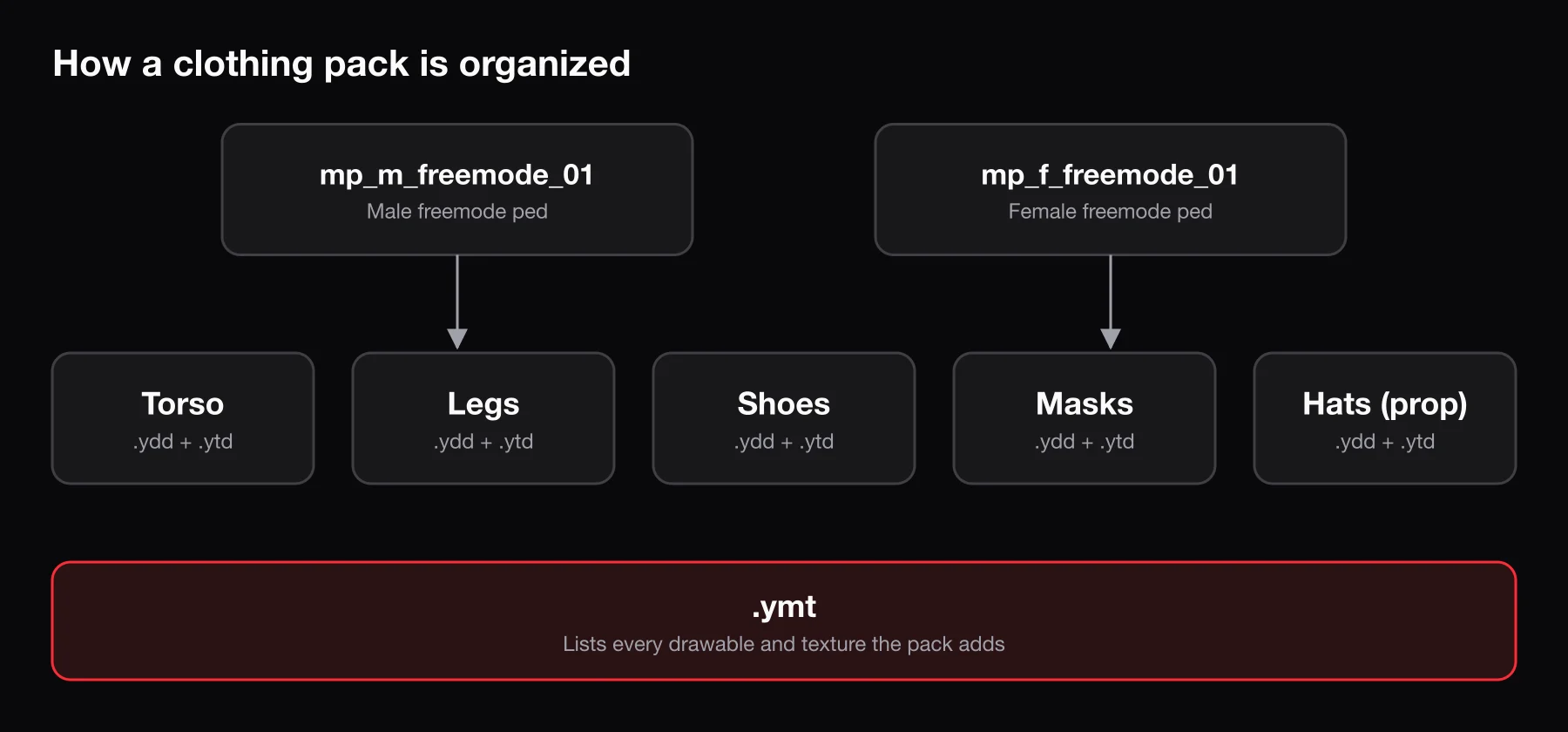
Player characters on almost every FiveM server use two ped models: mp_m_freemode_01 (male) and mp_f_freemode_01 (female). They have different skeletons and body shapes, so a clothing item made for one does not fit the other. A jacket in a "unisex" pack is really two separate drawables, one per ped.
That also means every pack has two halves, each with its own .ymt and shop meta. If a pack only ships male files, your female players get nothing.
How a pack streams through a resource
A typical addon pack looks like this:
my_clothing/
├── fxmanifest.lua
├── mp_m_freemode_01_my_clothing.meta
├── mp_f_freemode_01_my_clothing.meta
└── stream/
    ├── mp_m_freemode_01_my_clothing.ymt
    ├── mp_m_freemode_01_my_clothing^jbib_000_u.ydd
    ├── mp_m_freemode_01_my_clothing^jbib_diff_000_a_uni.ytd
    ├── mp_m_freemode_01_p_my_clothing^p_head_000.ydd
    ├── mp_m_freemode_01_p_my_clothing^p_head_diff_000_a.ytd
    ├── mp_f_freemode_01_my_clothing.ymt
    └── ...
The naming rules that matter:
- The full DLC name is the ped name plus your pack name:
mp_m_freemode_01_my_clothing. Keep it lowercase. - Everything before the
^says which DLC the file belongs to. Everything after it is the drawable or texture name. - Props use a
p_variant of the DLC name (mp_m_freemode_01_p_my_clothing). - Numbers start at
000and must match what the.ymtdescribes. One gap or typo and the item will not load.
The shop meta file tells the game which ped the pack belongs to:
<?xml version="1.0" encoding="UTF-8"?>
<ShopPedApparel>
  <pedName>mp_m_freemode_01</pedName>
  <dlcName>my_clothing</dlcName>
  <fullDlcName>mp_m_freemode_01_my_clothing</fullDlcName>
  <eCharacter>SCR_CHAR_MULTIPLAYER</eCharacter>
  <creatureMetaData>MP_CreatureMetadata_my_clothing</creatureMetaData>
  <pedOutfits></pedOutfits>
  <pedComponents></pedComponents>
  <pedProps></pedProps>
</ShopPedApparel>
The female version uses mp_f_freemode_01 and SCR_CHAR_MULTIPLAYER_F. Then register both in fxmanifest.lua:
fx_version 'cerulean'
game 'gta5'

files {
  'mp_m_freemode_01_my_clothing.meta',
  'mp_f_freemode_01_my_clothing.meta',
}

data_file 'SHOP_PED_APPAREL_META_FILE' 'mp_m_freemode_01_my_clothing.meta'
data_file 'SHOP_PED_APPAREL_META_FILE' 'mp_f_freemode_01_my_clothing.meta'
Add ensure my_clothing to server.cfg and restart the server. A full restart is the safer way to load a new clothing pack than starting it live while players are connected.
Building a pack: use a tool
You can write .ymt files and rename hundreds of files by hand, but nobody who has done it once does it twice. Two tools do the heavy lifting:
- Durty Cloth Tool (gta.clothing). The long-standing standard. You drag in drawables and textures, assign slots and genders, preview them in 3D and export a ready-to-run FiveM resource with the
.ymt, meta and manifest generated. It is licensed, paid software; the old open-source version on GitHub has not been updated since 2021. - Vestium. A newer, free addon clothing builder with 3D preview, texture optimization and metadata generation for FiveM.
Both also handle the details that are easy to get wrong manually: high heels, hats that hide hair, and first-person variants.
Modeling the clothes themselves happens in Blender (with a GTA V import/export plugin such as Sollumz) or 3ds Max. The cloth tool only packages finished drawables.
Designing textures
Most custom clothing is not new geometry at all. It is a vanilla or EUP model with a new texture: a gang logo on a hoodie, an agency patch, a store-brand T-shirt. That work lives in an image editor. If you need artwork to put on those textures, BLDR's image generator can create a logo, patch or print from a text prompt or edit an existing image.
Limits and load times
Clothing is where many servers quietly hit engine limits.
- Drawables per slot. Each pack's
.ymthas a cap on items per component type, per gender. The classic limit is 128 per slot; newer tools document extended limits on recent builds. Going over the limit causes crashes, not just missing items. - YMT count. The game only allows so many clothing DLCs per gender, and vanilla DLCs already use a lot of them. Ten small packs from ten different creators burn ten slots. Merge them into one pack per gender with your cloth tool.
- Texture pool. Too many textures streamed at once fills the game's texture dictionary pool, which shows up as a
TxdStore Pool Fullcrash or textures that refuse to load.
Clothing is also downloaded by every player before they can join. A 4 GB clothing folder is 4 GB that every new player waits for, and it stays in their cache, competing with your cars and maps for memory.
Texture sizing
Oversized textures are the single biggest waste in most clothing packs. FXServer prints oversized-asset warnings on startup; take them seriously.
- Match texture resolution to how much screen space the item takes. A pair of socks does not need the same resolution as a full jacket.
- Use the cloth tool's optimization options to downscale and compress in one pass.
- Remove texture variants nobody uses. Twenty colorways of one shirt are twenty textures to download.
Optimizing FiveM assets covers texture compression in more detail; the same rules apply to cars, props and MLOs.
How players get the new clothes
Once a pack is streamed, the items exist, but players still need a menu to pick them. That comes from your appearance resource:
- illenium-appearance supports QBCore and ESX (and ox_core experimentally), with clothing stores, saved outfits and job-locked uniforms.
- fivem-appearance is the original resource illenium-appearance is based on, and many forks are still in use.
- Framework defaults such as
qb-clothingoresx_skindo the same job with fewer features.
Addon items appear after the vanilla ones in each slot, so a new jacket might be "top #392". Most appearance resources let you restrict components to jobs, gangs or permission groups. Use that to keep police uniforms out of civilian stores. Saved outfits store numbers, not names, so reordering or removing items in a pack later shifts what players see.
Common problems and fixes
| Problem | Likely cause | Fix |
|---|---|---|
| Item is invisible | Wrong file name, .ymt does not match files, or a slot over its limit | Rebuild with the cloth tool and check the resource errors in F8 |
| Item visible to you but not others | Drawable index beyond what other clients can sync | Split or trim the slot; stay well under the limit |
| Missing or blurry textures | Texture pool pressure, huge .ytd files | Downscale textures, remove unused variants |
| Body pokes through clothing | Item made for the other gender or a different body shape | Use the matching gender drawable; adjust the model in Blender |
| Hat in the jacket slot, etc. | Drawable assigned to the wrong component or prop | Reassign the slot in the cloth tool and re-export |
| Vanilla items disappeared | A pack is replacing instead of adding | Rename to addon format or rebuild as an addon pack |
| Crashes after adding a pack | Too many drawables per slot or too many YMTs | Merge packs and remove items until under the limits |
Frequently asked questions
What is a FiveM clothing pack?
A resource that streams new clothing models and textures to players, plus the metadata that tells the game which character and slot each item belongs to. Players download it automatically when they join.
Is EUP free on FiveM?
Not entirely. The official server-side FiveM release has been tied to a paid Cfx.re subscription. Check the official forum thread for current terms, and only use custom EUP uniforms you have permission to use.
Should I use addon or replace clothing?
Addon. Replacements overwrite vanilla items for everyone and break outfits that used them. Use replacements only for quick tests.
Why does my FiveM server take so long to load clothing?
Usually oversized textures and too many separate packs. Downscale textures, remove unused variants and merge packs into one per gender. If you also stream custom props or interiors, see FiveM custom props and FiveM MLOs for the same principles.
Can I make tattoos the same way?
No. Tattoos are overlays, not clothing drawables, and they use a separate system. BLDR's tattoo tool generates and previews tattoo designs.