GTA V and FiveM File Formats: What Every Asset File Does
What .ydr, .ytd, .yft, .ytyp, .ymap, .ybn, .ycd and .meta files are, what they contain, which tools open them, and how they fit in a FiveM resource.
· 10 min read
You downloaded a car, a clothing pack or a map, opened the zip and found a pile of .yft, .ytd, .ytyp and .meta files. GTA V runs on Rockstar's RAGE engine, and RAGE splits every asset into several specialized files: one for the mesh, one for the textures, one for the collision, one for the data that tells the game how to use it all. Once you know what each extension does, almost any FiveM asset becomes easy to read, fix and install.
This page is a reference. Use the table to identify a file quickly, then jump to the section for its asset type.
Short version:
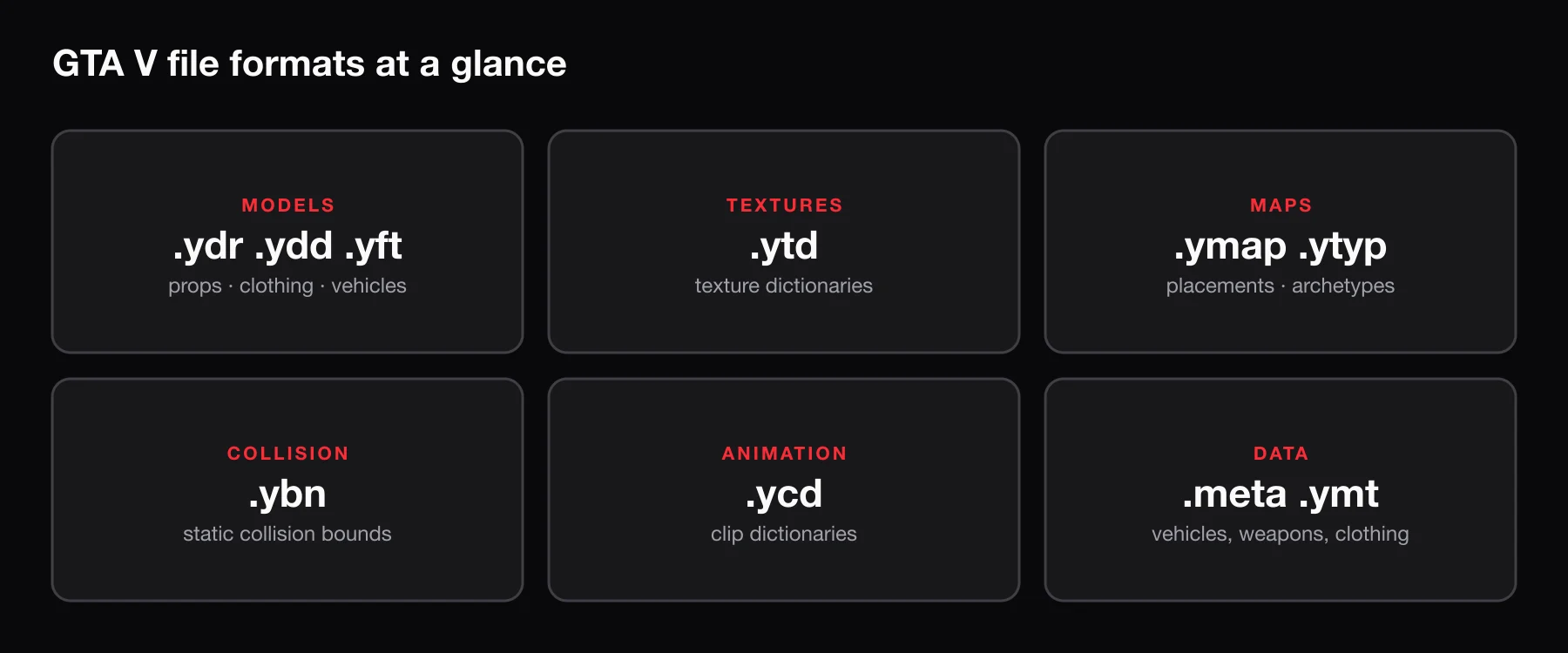
.ydr,.yddand.yftare 3D models,.ytdholds textures,.ytypand.ymapdefine and place map objects,.ybnis collision,.ycdis animation, and.metafiles are plain-text data (handling, colors, weapon stats). In FiveM, model, texture, map and animation files go loose in a resource'sstream/folder, and.metafiles are loaded withdata_filelines infxmanifest.lua.
Quick reference table
| Format | What it is | Typical use | Tools that open it |
|---|---|---|---|
.ydr | Drawable (single model) | Props, weapons, map objects | CodeWalker, Sollumz (Blender), OpenIV |
.ydd | Drawable dictionary (several models) | Clothing, hair, ped parts | CodeWalker, Sollumz, OpenIV |
.yft | Fragment (model with breakable parts) | Vehicles, breakable props | CodeWalker, Sollumz, OpenIV |
.ytd | Texture dictionary | Textures for any model | OpenIV, CodeWalker |
.ytyp | Archetype definitions | Registering props and MLO interiors | CodeWalker, Sollumz |
.ymap | Map placements | Where objects sit in the world | CodeWalker, Sollumz (partial) |
.ybn | Static collision bounds | Map and MLO collision | CodeWalker, Sollumz |
.ycd | Clip dictionary | Animations, emotes | CodeWalker, Sollumz |
.ynv | Navmesh | Where peds can walk | CodeWalker |
.awc | Audio wave container | Sounds, engine audio | OpenIV, CodeWalker |
.ymt | Binary metadata | Ped clothing variation data | CodeWalker, OpenIV |
.meta | Plain-text XML data | Vehicle, handling, weapon and shop data | Any text editor |
.rpf | Archive | How the base game ships files | OpenIV, CodeWalker |
.ydr.xml etc. | Text export of a binary file | Editing and converting assets | CodeWalker, Sollumz |
A quick word on the tools:
- CodeWalker is a free map viewer and file explorer for GTA V. It can browse the game's archives, preview models, edit maps and convert binary files to XML and back.
- Sollumz is a free Blender add-on that imports and exports GTA V models, collisions, maps and animations. It handles both native binary files (
.ydr) and CodeWalker XML (.ydr.xml). - OpenIV is a long-standing archive browser and editor, mostly used today to look inside
.rpfarchives and swap textures.
Models: .ydr, .ydd and .yft
All three are compiled 3D models. They contain meshes, LOD levels (lower-detail versions shown at distance), shader settings and references to textures. The difference is how many models they hold and how they behave.
.ydr – drawable
A .ydr is a single static model. Most props are .ydr files: a chair, a sign, a vending machine. Weapon models are .ydr files too (for example w_pi_pistol.ydr). A .ydr can carry its own embedded collision, which is how small props stay solid without a separate .ybn.
If you want custom props without modeling them yourself, BLDR's 3D generator turns a prompt, an image or a GLB into .ydr, .ytd and .ytyp files packaged as a FiveM resource. For the full workflow, see FiveM custom props.
.ydd – drawable dictionary
A .ydd bundles several drawables in one file. You see them mostly on peds: every clothing item (a jacket, a pair of shoes, a hairstyle) is a .ydd that pairs with a .ytd of the same base name. Clothing packs ship dozens or hundreds of them. FiveM clothing packs covers how they are named and streamed.
.yft – fragment
A .yft is a model with a physics hierarchy: parts that can move, break off or deform. Vehicles are always .yft files, because doors open, bumpers fall off and windows shatter. Breakable world objects, such as fences and lamp posts, also use .yft.
Vehicles usually come as a pair: mycar.yft for the normal model and mycar_hi.yft for the high-detail version shown up close.
Textures: .ytd
A .ytd (texture dictionary) is a container of images, typically DDS-compressed: diffuse colors, normal maps, specular maps and so on. Models reference textures by name, and the game looks them up in the matching dictionary.
Common patterns:
mycar.ytdandmycar+hi.ytdfor a vehicle's normal and high-detail textures.- One
.ytdper clothing item, named like its.ydd. - One shared
.ytdfor a set of props, referenced from the.ytyp.
Textures are also where most streaming problems come from. A 4K texture on a small prop costs every player memory and download time. Optimizing FiveM assets explains how to right-size them.
Maps: .ytyp, .ymap and .ynv
.ytyp – archetype definitions
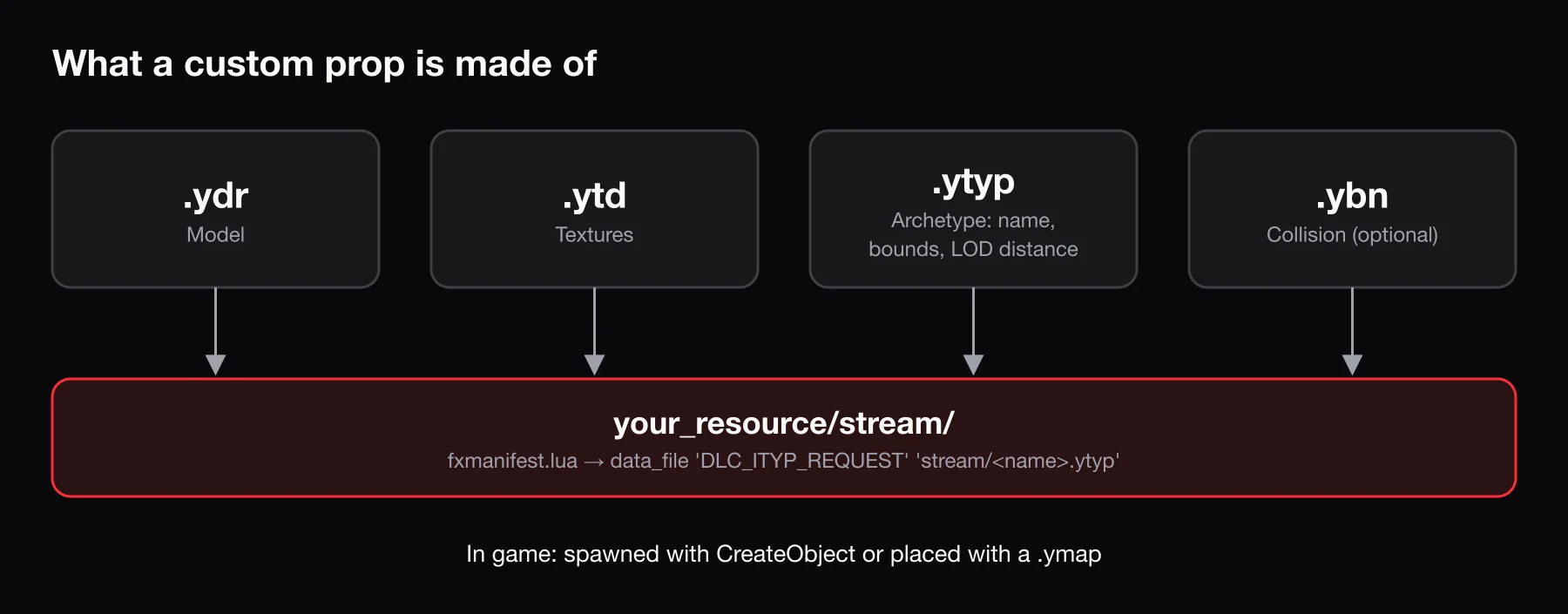
A .ytyp describes what an object is, not where it is. Each entry (an archetype) names a model and lists its texture dictionary, LOD distance, bounding box and flags. Without an archetype, the game does not fully know how to load and draw a custom model.
For interiors, the .ytyp also holds the MLO definition: rooms, portals between rooms and entity sets that scripts can toggle. That is why every MLO ships with one. See what an MLO is in FiveM for the details.
.ymap – map placements
A .ymap says where things are. It lists entities by archetype name with a position and rotation, and can also contain car generators, occluders, LOD lights and timecycle modifiers. A custom map is usually a .ymap that places objects defined in a .ytyp. Map edits that remove or move base-game objects also live in .ymap files.
.ynv – navmesh
A .ynv is a navigation mesh: the walkable surfaces AI peds use to path around. You rarely touch these unless you build large exterior maps and want NPCs to walk on them.
Collision: .ybn
A .ybn holds static collision bounds: simplified shapes and meshes the physics engine uses to decide what you can stand on, drive into or shoot through. Collision geometry also carries material data, which controls footstep sounds, bullet impacts and tire grip.
Maps and MLOs usually have one or more .ybn files next to their models. If you can walk through a wall or fall through a floor, the .ybn is missing, not streaming, or does not match the model.
Animations: .ycd
A .ycd is a clip dictionary: a set of animation clips stored under one dictionary name. Scripts load the dictionary with RequestAnimDict and then play a clip from it by name. Emote menus, custom idles and dances all ship as streamed .ycd files.
BLDR's /mocap tool turns a 1–30 second video into a .ycd animation with a clip named anim. Custom FiveM emotes walks through adding one to an emote menu.
Audio: .awc
An .awc (audio wave container) holds sound data. Custom engine sounds and other audio mods ship one or more .awc files, usually alongside .rel-based audio configuration. In FiveM, a folder of wave packs is loaded with the AUDIO_WAVEPACK data file type. Audio modding is its own deep topic; if an asset includes it, follow the creator's instructions closely.
Data and metadata: .meta, .ymt and .rpf
.meta files
.meta files are plain XML you can open in any text editor. They are where gameplay data lives:
| File | What it controls | data_file type |
|---|---|---|
vehicles.meta | Model name, display name, texture dictionary, handling ID, vehicle class, layout | VEHICLE_METADATA_FILE |
handling.meta | Speed, acceleration, braking, traction, suspension, mass | HANDLING_FILE |
carvariations.meta | Allowed paint colors, mod kits, extras, liveries | VEHICLE_VARIATION_FILE |
carcols.meta | Mod kits (tuning parts), siren and light settings | CARCOLS_FILE |
vehiclelayouts.meta | Seat and entry/exit layouts | VEHICLE_LAYOUTS_FILE |
weapons.meta (weapon info) | Damage, range, ammo, fire rate, model | WEAPONINFO_FILE |
weaponanimations.meta | Which animations a weapon uses | WEAPON_ANIMATIONS_FILE |
weaponarchetypes.meta | Weapon model archetypes | WEAPON_METADATA_FILE |
peds.meta | Ped model settings | PED_METADATA_FILE |
Shop ped apparel .meta | Clothing entries for freemode peds | SHOP_PED_APPAREL_META_FILE |
The names inside these files must agree with each other. The handlingId in vehicles.meta must match a handlingName in handling.meta, and the modelName must match the .yft file name. Most "vehicle spawns but drives wrong" or "vehicle will not spawn" problems are a mismatch here.
.ymt
A .ymt is a binary metadata file. In clothing packs, the .ymt holds the ped variation data: which drawables and textures exist for each clothing slot. It is usually named after the ped model and pack, for example mp_m_freemode_01_mypack.ymt, and streams with the .ydd and .ytd files. CodeWalker can convert it to XML for inspection.
.rpf – archives
An .rpf is RAGE's archive format, similar to a zip. The base game ships everything inside RPFs, and single-player mods are usually installed by editing them with OpenIV.
FiveM works differently: resources stream loose files. If a download only contains an .rpf (often a dlc.rpf made for single-player), open it in OpenIV or CodeWalker, extract the models, textures and meta files, and rebuild them as a FiveM resource.
.xml exports
CodeWalker can export most binary formats to readable XML (mycar.yft.xml, prop.ydr.xml, map.ymap.xml) and import them back. Sollumz can export to the same XML format. You might find these files in asset sources or tutorials. They are an editing format: convert them back to binary before streaming them in FiveM.
How these come together in a resource
Every FiveM asset is a resource: a folder with an fxmanifest.lua. Models, textures, maps and animations go in stream/ and load automatically. Meta files go elsewhere (usually data/) and are registered with a files entry plus a data_file line. If you are new to resources, How to make a FiveM server covers the basics.
Example: an add-on vehicle
my_car/
├── fxmanifest.lua
├── data/
│   ├── vehicles.meta
│   ├── handling.meta
│   ├── carvariations.meta
│   └── carcols.meta
└── stream/
    ├── mycar.yft
    ├── mycar_hi.yft
    ├── mycar.ytd
    └── mycar+hi.ytd
fx_version 'cerulean'
game 'gta5'

files {
  'data/vehicles.meta',
  'data/handling.meta',
  'data/carvariations.meta',
  'data/carcols.meta',
}

data_file 'HANDLING_FILE' 'data/handling.meta'
data_file 'VEHICLE_METADATA_FILE' 'data/vehicles.meta'
data_file 'CARCOLS_FILE' 'data/carcols.meta'
data_file 'VEHICLE_VARIATION_FILE' 'data/carvariations.meta'
The spawn name is the modelName from vehicles.meta, which should match mycar.yft.
Example: a custom prop with a placement
my_props/
├── fxmanifest.lua
└── stream/
    ├── my_bench.ydr
    ├── my_props.ytd
    ├── my_props.ytyp
    └── my_props_placement.ymap
fx_version 'cerulean'
game 'gta5'

this_is_a_map 'yes'

data_file 'DLC_ITYP_REQUEST' 'stream/my_props.ytyp'
The .ydr is the model, the .ytd its textures, the .ytyp registers my_bench as an archetype, and the .ymap places it in the world. this_is_a_map tells FiveM the resource contains map data. If you only want to spawn the prop from a script, you can drop the .ymap and this_is_a_map.
Frequently asked questions
Can I just drag .yft or .ydr files into my server?
Only inside a resource. Put them in a resource's stream/ folder, add an fxmanifest.lua, and ensure the resource in server.cfg. Vehicles also need their meta files registered with data_file, or they will not spawn.
What is the difference between .ydr, .ydd and .yft?
A .ydr is one static model, a .ydd is a dictionary of several models (mostly clothing and ped parts), and a .yft is a model with breakable or moving parts (vehicles and destructible objects).
Why are my textures missing or purple?
The model cannot find its texture dictionary. Check that the .ytd is in stream/, that its name matches what the model or .ytyp expects, and that it is not so large that it fails to stream.
Do I need OpenIV for FiveM?
Not usually. FiveM resources use loose files, so you only need an archive tool to extract content from an .rpf. CodeWalker covers that, plus maps and XML conversion, and Sollumz covers editing in Blender.
What does a .ytyp do if I already have a .ydr?
The .ydr is the model itself. The .ytyp tells the game how to treat it: which textures to use, how far away it stays visible and how big it is. Maps and MLOs depend on it, and custom props are much more reliable with one.